Key takeaways
- 42% of restaurant operators said their restaurant was not profitable in 2025, according to the National Restaurant Association. Automation is being bought against that pressure, not as a novelty.
- “Restaurant automation software” covers four unrelated jobs: supplier ordering, paperwork like invoices, labor scheduling, and checklists. Two tools with the same label can share zero features.
- Half the category publishes pricing and half does not. Published entry points run from free to $350 per location per month.
- The automation worth buying first is the task a manager repeats every single day by hand, not the one with the most impressive demo.
- Automation removes steps, not judgment. Software acting on bad data acts confidently and wrongly.
Forty-two percent of restaurant operators said their restaurant was not profitable in 2025, and more than nine in ten named food, labor, insurance, energy, and card fees as significant challenges. Those figures come from the National Restaurant Association, and they explain why automation stopped being a novelty purchase somewhere around 2024.
Most automation pitches still show a robot arm flipping burgers. The automation that actually pays back is duller than that: the invoice nobody has to retype, the order that reaches the distributor without a phone call, the schedule that builds itself from last year’s sales.
That gap between the pitch and the payback is the whole problem with shopping in this category. “Restaurant automation software” is close to useless as a search term, because two platforms described the same way can have nothing in common. One replaces data entry. One replaces a manager’s Sunday afternoon. One just puts a checklist on a tablet.
Below are ten tools sorted by the work they take off a team, with real pricing where it is published and the honest limitation on each. Deloitte found 55% of restaurant leaders already use AI in inventory management daily, so this is landing in the back office first, whatever the marketing suggests.
What restaurant automation software actually does
Restaurant automation software is any system that performs a repeated operational task without a person doing it by hand each time. In practice, that splits into four jobs that rarely live in the same product.
Ordering automation gets an accurate order to a supplier without a call, a voicemail, or a rekeyed email. Paperwork automation turns invoices into line-item data and pushes prices into food cost and recipes. Labor automation builds schedules from forecast demand and handles the swaps, clock-ins, and compliance warnings around them. Execution automation pushes checklists, temperature logs, and audits to the right person at the right hour and records whether they happened.
Guest-facing automation is a different category. Kiosks, QR menus, and AI phone answering change the revenue line; the four jobs above change the labor and food cost lines. Operators under margin pressure usually need the second kind first, which is what this list covers.
The ten tools
1. VoiceOrder Solutions
Best for: restaurants and distributors still placing orders by phone.
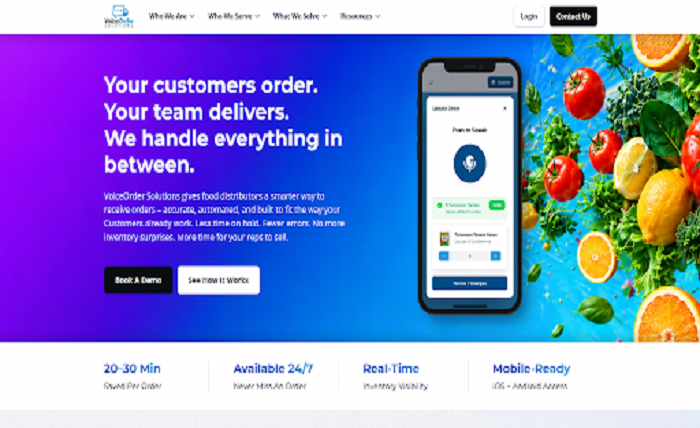
VoiceOrder Solutions automates one task that survives almost every other system a restaurant installs: getting an accurate order to a distributor. Staff speak the order into an iOS or Android app while walking the storeroom, and the app digitizes, confirms, timestamps, and transmits it automatically.
What makes it automation rather than convenience is what disappears. There is no phone call, no voicemail, no order scrawled on a prep sheet and typed in later, and no distributor rep re-keying what they think they heard. Per-customer order guides resolve informal item names to the correct SKU and contract price, so “the big shrimp” reaches the supplier as the actual item number.
Because capture runs around the clock, an order placed at 11pm after close is queued rather than lost, which is where a surprising amount of next-morning chasing originates. An interrupted order resumes from wherever the speaker stopped, and every order carries a unique number, date, and timestamp, so a short delivery becomes a lookup rather than an argument.
It runs alongside a POS, inventory platform, or ERP rather than replacing one. Orders arrive in whatever format the back office already uses: email, EDI, API, or a direct QuickBooks push. That matters, because the voice order automation layer can be added without re-platforming anything else, and independent distributors are typically live within 24 to 48 hours. The company reports 20 to 30 minutes saved per order.
The trade-off: intake is voice-first, which will not suit teams who would rather type, and the product is built specifically for food and beverage distribution rather than general procurement. Pricing is available on request rather than published.
2. MarginEdge
Best for: any operator still typing invoices by hand.
MarginEdge automates the most tedious back-office job in a restaurant. You photograph an invoice, and it comes back as itemized lines with prices already updated in your food cost and recipes. Nobody types anything at any stage, and bill pay runs from the same system that captured the invoice.
Pricing is unusually clean: $350 per location per month, flat and all-inclusive, with no modules to add and 10% off annual billing. Tiered rates apply past five locations. Toast’s API connection adds $50 monthly, and the Freepour bar add-on is $150 per location.
The trade-off: the flat fee is hard to justify for a low-volume single site, since value scales with invoice count, and it assumes you want the accounting workflow attached rather than just the data capture.
3. MarketMan
Best for: operators who want ordering and cost tracking in one loop.
MarketMan automates the link between what a kitchen uses and what it reorders. It suggests order quantities from par levels, scans incoming invoices, and raises an alert when a supplier’s price moves, which is how silent cost creep gets caught before it shows up in a month-end review.
Starter is $199 per month, Growth is $249, and Enterprise is custom.
The trade-off: the vendor integrations that make the ordering automation real are paid add-ons, the Starter tier caps invoice scans at 50 a month, and there is no free trial, only a demo. Budget for the add-ons before comparing its headline price to anything else here.
4. 7shifts
Best for: operations where the schedule is the recurring headache.
7shifts automates scheduling and the administrative sprawl around it: shift swaps, time clocking, availability, and labor compliance warnings, all of which otherwise land on a manager’s phone at midnight. Schedules generate against sales forecasts and labor targets rather than against last week’s copy-paste.
There is a genuine free tier for one location with up to 15 employees. Essentials is $44.99 per location monthly, or $39.99 billed annually; Pro is $89.99, or $79.99; Premium is $149.99, or $134.99.
The trade-off: task management is a separate add-on at $12.99 per location per month, with the manager log book and tip management priced separately again. It also does not touch purchasing or invoices, and per-location pricing climbs quickly across a group.
5. Lineup.ai
Best for: teams whose prep and staffing guesses are consistently wrong.
Lineup.ai, now part of the TimeForge suite, does one thing deliberately: it forecasts sales down to item level, then optionally builds schedules against those forecasts and a labor allowance budget. Accurate forecasts are the input that makes labor and prep automation worth anything, which is why a narrow tool like this often outperforms a broad one.
Forecasting alone is $79 per location per month, and bundling scheduling raises it to $149, with 10% off annual commitments. Neither tier caps users or employees.
The trade-off: it does not automate purchasing, invoices, or compliance, so most operators will still need a second tool. It also needs solid sales history, which means a location that opened four months ago or changed its menu will get poor predictions until the data catches up.
6. Jolt
Best for: food-safety-heavy operations facing regular inspections.
Jolt, now a SmartSense solution, automates compliance work. Checklists appear on schedule for the right shift and role, IoT temperature sensors log themselves without staff intervention, and date labels get printed rather than handwritten. Sensor-based logging replaces a task that staff routinely forget, or quietly complete without doing the walk.
The trade-off: there are no published figures at any tier, with modules sold a la carte or bundled through sales, though the hardware shop is self-serve. Sensor hardware adds cost beyond the subscription, it does not touch purchasing or labor, and multiple operator reviews describe the interface as dated.
7. Operandio
Best for: franchise networks enforcing consistent standards.
Operandio automates the distribution and verification of operational work across franchise and multi-unit groups: standardized checklists rolled out to every site, inspections and audits with evidence capture attached, and shared tablet or mobile apps for frontline teams. Franchisee recruitment is folded in following its FranchiseLab acquisition, which no other tool here offers.
Pricing is modular and quote-based, set by locations, users, and chosen modules, with a 14-day free trial available after an initial demo.
The trade-off: no public pricing, and modular pricing makes budgeting harder than a flat per-location fee. It is also narrower than a full operations suite, so it complements rather than replaces inventory or labor tools.
8. Toast
Best for: restaurants already running Toast as their POS.
Toast automates at the point of sale first and works outward. Orders flow from terminal to kitchen display without anyone carrying a ticket, payments reconcile themselves, and sales and labor reporting compiles across dayparts without an export. Inventory and invoice automation come through the xtraCHEF add-on.
The Starter Kit is $0 per month for a single location, Point of Sale is $69 per month, and the full platform is custom-quoted, with operational modules priced as bundled add-ons.
The trade-off: the automation is tied to Toast’s ecosystem, true multi-location capability sits behind custom pricing, and leaving becomes expensive once payments run through it. It is an obvious choice for existing Toast restaurants and a poor reason to switch POS if you are not one.
9. Crunchtime
Best for: enterprise chains automating labor, inventory, and execution together.
Crunchtime automates three motions from shared data: forecast-driven labor scheduling across locations, inventory replenishment against par levels, and task and audit distribution to every unit from one console through the former Zenput product, now folded in as Operations Execution.
Pricing is quote-based with no published figures, sold through a demo and a longer enterprise process.
The trade-off: it carries the longest sales cycle in this list, publishes nothing on price, and is far heavier than an independent restaurant needs. The practical threshold is around 20 locations; below that, the integration overhead of two or three focused tools is usually cheaper and faster to adopt.
10. Restaurant365
Best for: accounting-led groups that want operations and the ledger in one flow.
Restaurant365 automates the accounting side of restaurant operations, turning vendor invoices into posted transactions and keeping food cost, labor, and the general ledger connected. Accounting automation compounds, because every invoice touches cost, inventory, and the ledger at once, which removes the export-and-reconcile cycle between operations and finance.
Pricing is custom and modular after a demo. One buyer caution: older third-party articles still cite a $399 monthly plan, but the live pricing page offers only a custom quote, so treat that figure as outdated.
The trade-off: it involves the longest implementation here, and it is more platform than a small operator needs. Budget for a real rollout rather than a signup.
What is actually worth automating
Not every manual task deserves software. The ones that repay automation share three traits: they repeat daily or weekly, they follow fixed rules, and getting them wrong costs real money.
Judged that way, a short list emerges from everything a restaurant does in a week.
- Invoice entry: it repeats constantly, and every error flows straight into food cost.
- Supplier ordering: one transcription mistake causes a short delivery and a scramble.
- Stock counts: every reorder decision depends on them being current.
- Schedule building: labor is the largest controllable cost and the most repeated manual task around it.
- Temperature and food-safety logs: missed logs create compliance exposure that surfaces at the worst moment.
- Sales forecasting: prep and staffing decisions are guesses without it.
Everything on that list is repetitive and rule-bound. Tasks needing judgment, like handling an unhappy regular or deciding whether to comp a table, sit outside what this software should touch, and vendors who claim otherwise are overselling.
What it costs
Half this category publishes pricing and half does not, which makes budgeting awkward. The published figures still give a usable anchor.
- 7shifts (free to $39.99 per location per month): free for one location up to 15 employees, then per location on annual billing.
- Toast ($0 to $69 per month): Starter Kit free for a single location, POS at $69, full platform custom-quoted.
- Lineup.ai ($79 per location per month): forecasting alone, rising to $149 with scheduling attached.
- MarketMan ($199 per month): priced per account and tiered, rather than per location.
- MarginEdge ($350 per location per month): flat and all-inclusive, with tiered rates past five locations.
- Quote-only (VoiceOrder Solutions, Jolt, Operandio, Crunchtime, Restaurant365): a demo comes before any figure.
Two things distort that list. The first is billing basis: per-location and per-account pricing behave very differently as a group grows, so $350 per location is competitive for one high-volume restaurant and expensive across ten small ones. The second is add-ons. MarketMan charges separately for the vendor integrations that make its ordering automation real, and 7shifts prices task management apart from scheduling, so an entry price rarely reflects the configuration anyone actually runs.
How to choose the first one
Work backward from a manager’s week. Ask what they do every single day that a competent stranger could do from written instructions, because that is precisely what automation replaces well.
The answer usually points at one of four tools without much further debate:
- Typing invoices: MarginEdge or MarketMan pays back fastest, often within the first month.
- Calling in orders: an order-capture layer like VoiceOrder Solutions removes the step rather than speeding it up.
- Rebuilding the schedule: 7shifts handles the admin, Lineup.ai handles the forecast underneath it.
- Chasing whether checklists were done at six sites: Jolt or Operandio, depending on whether the driver is food safety or brand standards.
Size changes the calculation more than most vendors admit. Below about five locations, point tools with published pricing usually beat suites, because you pay only for the automation you use. Above roughly 20 locations, maintaining several integrations starts to outweigh the flexibility, and a suite like Crunchtime or Restaurant365 earns its price.
Price the configuration you would actually run rather than the entry tier, since add-ons and billing basis decide the real number. A fuller comparison of restaurant automation software breaks those pricing models down further.
Finally, resist automating everything at once. Operators who sequence one automation per quarter get cleaner data and better adoption than those attempting a full-stack rollout in a single month.
Where automation falls short
Automation is oversold, and the limits are worth knowing before signing anything. Software acting on bad data acts confidently and wrongly, which is usually worse than a slow manual process.
Forecasting tools need clean sales history. Order automation needs an accurate order guide, and an out-of-date guide produces wrong orders faster than a phone call ever did. Neither problem announces itself; both show up as a delivery that does not match what anyone expected.
Adoption is the gap vendors rarely mention. Operators discussing digital checklist apps consistently warn that the hard part is transitioning managers, and that plenty still complete the record without doing the walk. Digitizing a task does not guarantee anyone performs it. One long-running counterargument in those discussions is worth putting to any vendor: a paper wall chart never crashes and needs no training.
Governance is the other gap. Deloitte’s survey found only around 20% of restaurant leaders believed their AI risk and governance controls were adequately in place, which is striking given how many are deploying it daily. Treat every automation as a process that needs an owner, not a process that no longer needs anyone.
The short version
The right first automation is the one a team already complains about. That complaint is a free diagnostic, and it almost always points at invoices, orders, or the schedule.
Pick one, run it for a full quarter, and measure the hours it gave back before adding a second. Automations compound only when the data underneath them is trustworthy, and stacking three rollouts at once is how operators end up with three half-configured systems and no clear idea which one is working.
Frequently asked questions
What is the difference between restaurant automation and restaurant AI?
Automation performs a defined task by fixed rules, such as sending a purchase order when stock hits a par level. AI makes a prediction or a judgment, such as forecasting Saturday’s covers from weather and sales history. Most tools in this list use both, and the useful question at buying time is not whether a product has AI but whether it removes work someone currently does by hand.
Will restaurant automation software replace staff?
Not in the way the marketing implies. What it reliably removes is administrative time: the hours managers spend typing invoices, calling suppliers, and rebuilding schedules. Those hours tend to move to the floor rather than off the payroll. Operators who buy automation expecting headcount cuts are usually disappointed. Those who buy it expecting managers back in the dining room usually are not.
Can a single-location restaurant benefit from automation software?
Yes, though the shopping list looks different. Single sites do best with focused tools that publish pricing, such as 7shifts for scheduling or Lineup.ai for forecasting, rather than suites priced for chains. The break-even is simply whether the monthly fee costs less than the hours it returns, which is far easier to calculate for one location than for twenty.